
One brief. A campaign ready for your review.
We bring targeting, creative, and campaign setup into one workflow. Our agents prepare the work in your tools, and your team reviews the drafts and handles final publishing.
What happens after you send a brief.
Four steps from brief to prepared campaign. Your team sets the direction, reviews the work, and makes the final publishing decision.
1
You write the brief.
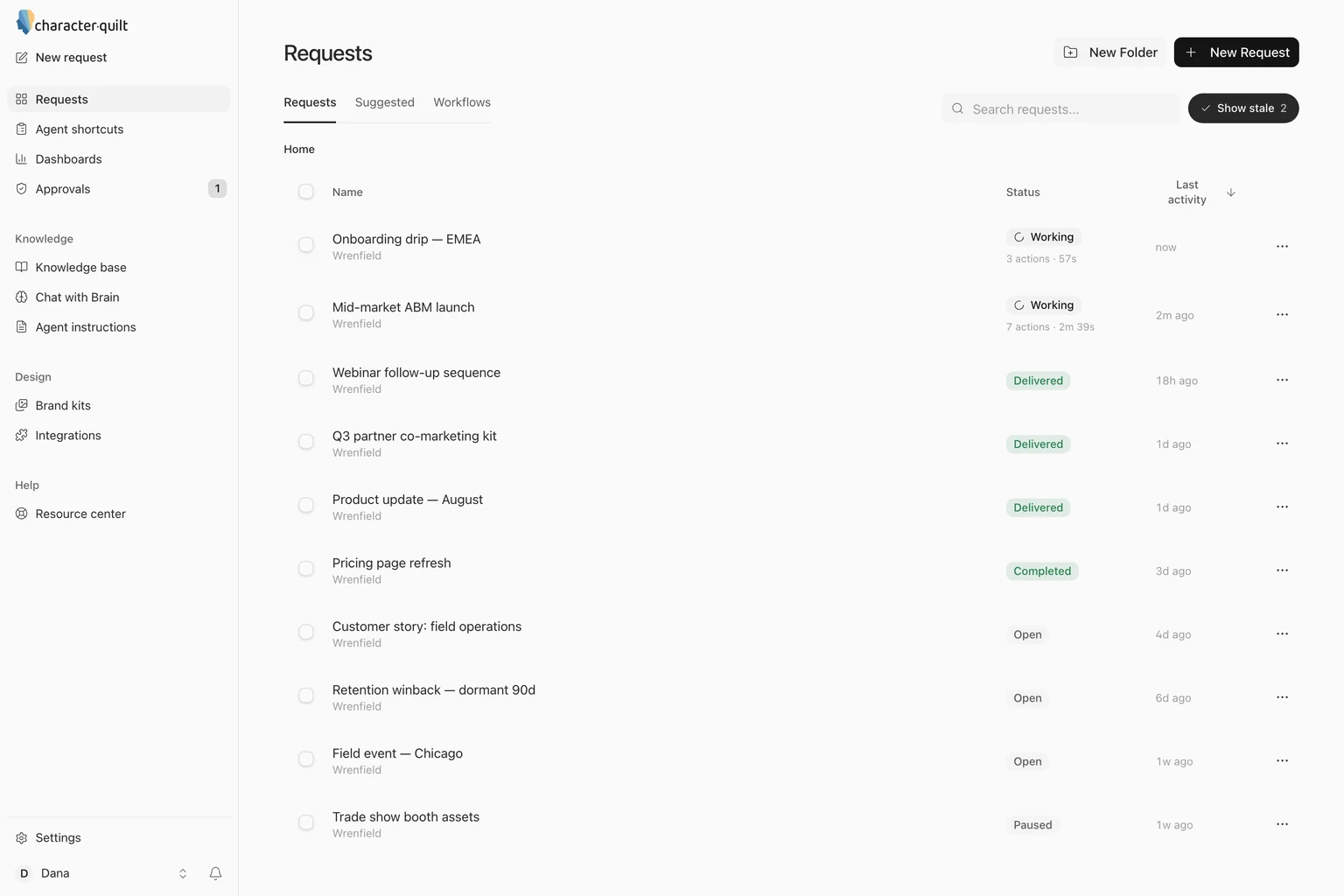
Describe the campaign the way you would brief an agency: who it is for, what you are offering, which channels, and when. You do it on the New request page, in plain language, and attach anything useful: a deck, a spreadsheet, a past email.
Each request keeps its files, its deployments and a chat panel in one place, so questions and changes go back and forth there. We ask follow-up questions when the brief needs more detail.
2
We build the audience and the creative in your brand.
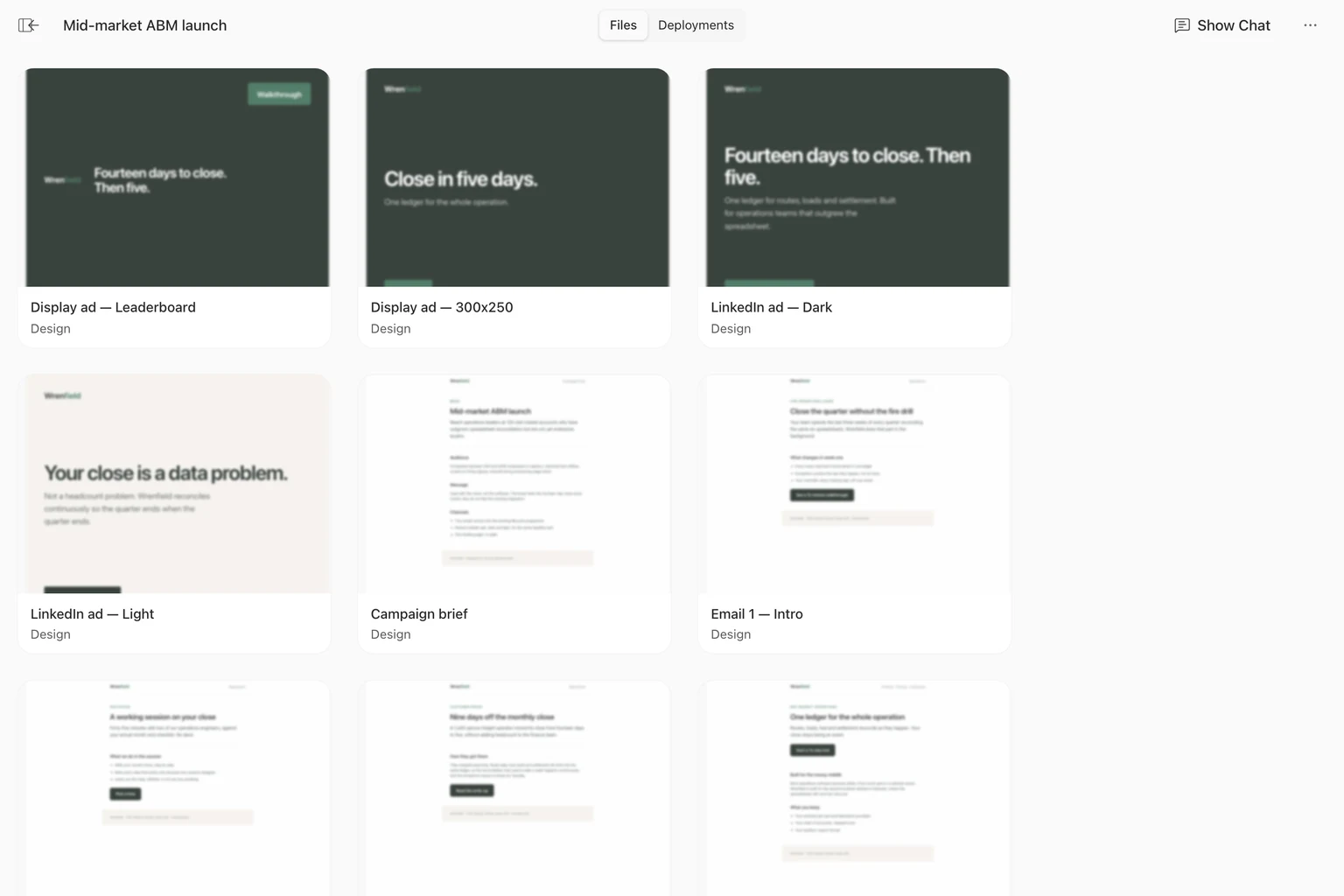
The audience comes first: the accounts and people the brief describes, as a list you can open and check. Then the creative: display and social ads, emails, landing pages, one-pagers and decks, all drafted from your brand kit and what has worked before.
Assets are drafted from your brand rules and collected in the request. Your team checks the creative, facts, and destination before approving it.
3
You review and sign off.
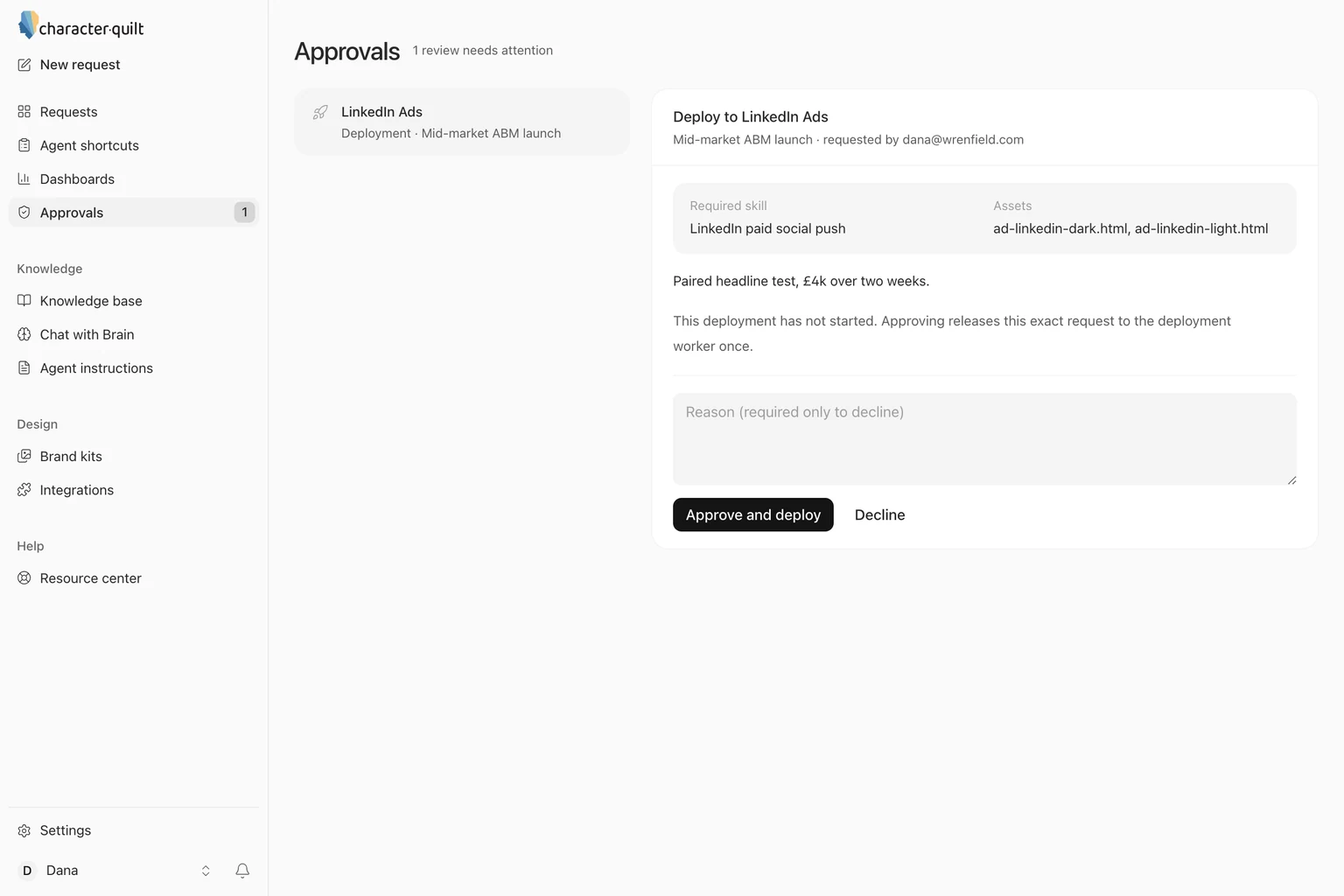
Review the assets and deployment plan with your team's approver. Keep feedback in the workspace: leave a comment, ask for a change, or make the edit yourself.
Record the decision and the feedback for the next pass. We agree on who approves each stage before the workflow runs.
4
Our agents prepare it in your tools.
The Deployments tab lists the destinations for the request. Agents use supported integrations or the tool's interface to prepare the agreed work, such as audience lists, email templates, and campaign settings.
Each destination reports its status back to the same tab. Your team checks the prepared campaign in its destination and handles final publishing.
How deployment works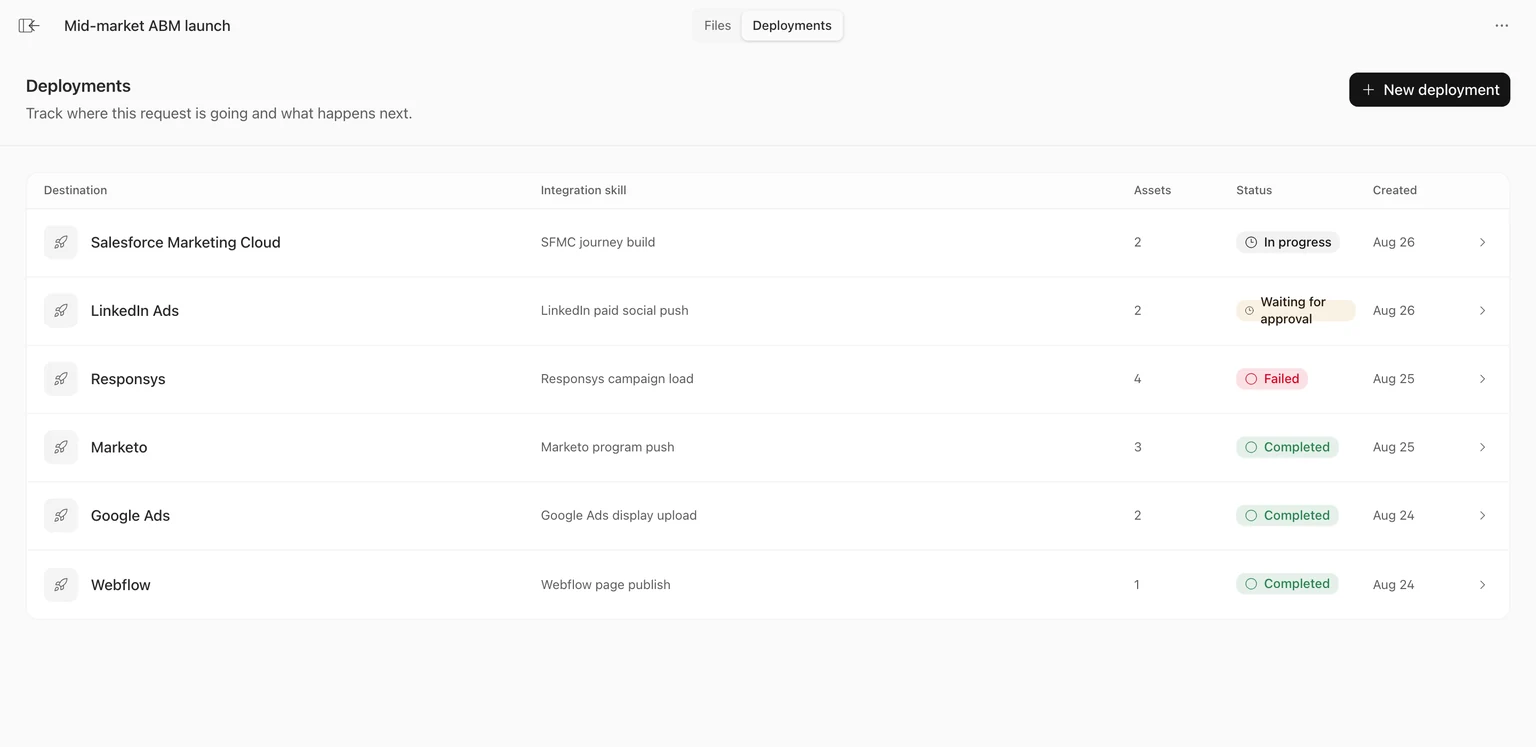
What you can ask for.
A request can be a whole campaign or one piece of it. We use your brand context to prepare the work, with your team reviewing before launch.
A campaign launch
Audience, ads, emails and a landing page, built together and prepared in your tools for final review.
An ABM program
A target-account list and the ads, emails and pages for each account or segment.
An email sequence
A nurture or follow-up series, written in your voice and loaded into your marketing automation.
Paid social
LinkedIn and Meta ads, set up in your ad accounts.
A landing page
Built in your brand and to your template, ready for your CMS.
A sales one-pager
A leave-behind for a segment or a single account, in your brand.
A deck
A sales or webinar deck built from your brand kit and your knowledge base.
Partner variants
The same campaign adapted for each partner or region, with the details changed in every asset.
A dashboard
Ask for a report in plain language and get a dashboard that refreshes itself on a schedule, built from the tools you connected.
A recurring workflow
Set a request to run as a workflow, daily or weekly, writing only to the tools you choose.
Works inside your existing stack.
Our agents work in the tools your team already uses. Your core systems stay in place; we agree on access and the review workflow during setup.
 Marketo
  HubSpot
  Klaviyo
  Pardot
  Meta Ads
  Salesloft
  Demandbase
  monday.com
  Asana MarketoBuilds a Smart List for a maritime campaign, adding five filters one at a time.SalesloftCreates an event follow-up cadence, adds a step, and enrols two people from the People list.AsanaOpens the launch tasks one by one and posts the kickoff notes, RACI and risk register as comments.
Every request starts from what you already know.
Your brand kit holds the logo, fonts, colours and the rules for using them. Your knowledge base holds positioning, past campaigns and product facts. Every request is built from both.
- Brand kitsFonts, colours, logos, templates and the inspirations you want the work to follow.
- Knowledge baseUpload what your team knows, then ask it questions in plain language.
- Agent instructionsSave your team's working preferences so future requests start with that context.
See a campaign built end to end.
Walk through a campaign build, the review process, and the requirements for your tools. See how we demo.