
Nothing goes live in your stack until you say so.
CharacterQuilt builds and stages campaign work in your existing systems. Your team reviews the result and owns final publishing. Before connecting a tool, we agree on access, the actions in scope, and who approves the work.
Watch the agents work in your tools.
Agents can work through supported integrations or a tool's interface. The method depends on the platform and your organization's access requirements. These recordings show specific operations; we validate your workflow during setup.
 MarketoBuilds a Smart List for a maritime campaign, adding five filters one at a time.
 SalesloftCreates an event follow-up cadence, adds a step, and enrols two people from the People list.
 AsanaOpens the launch tasks one by one and posts the kickoff notes, RACI and risk register as comments.
What deployed actually means.
Deployment means placing and configuring the work in its destination system. It does not automatically mean published or sent. We distinguish assets built, drafts staged, and campaigns published, so you know which steps are complete and which remain with your team.
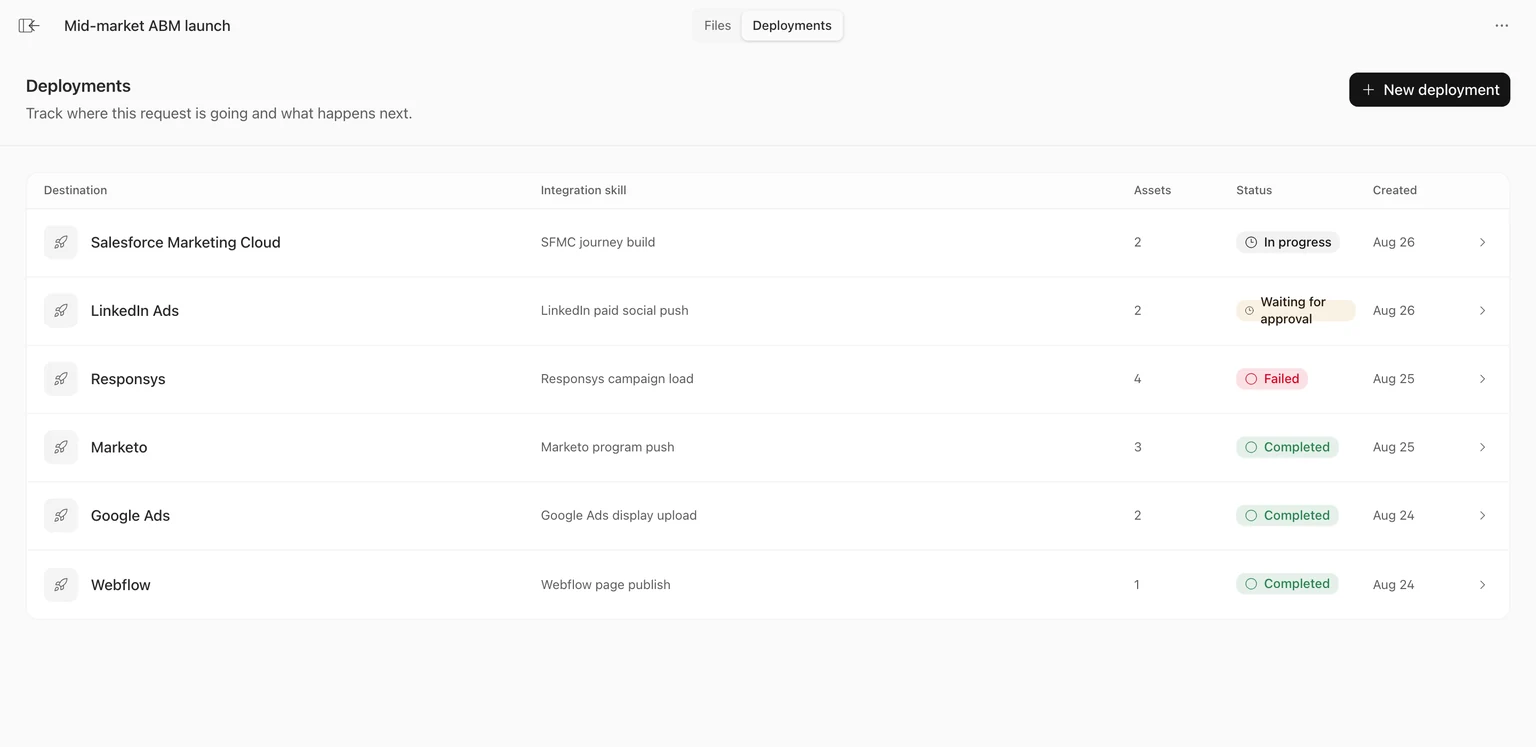
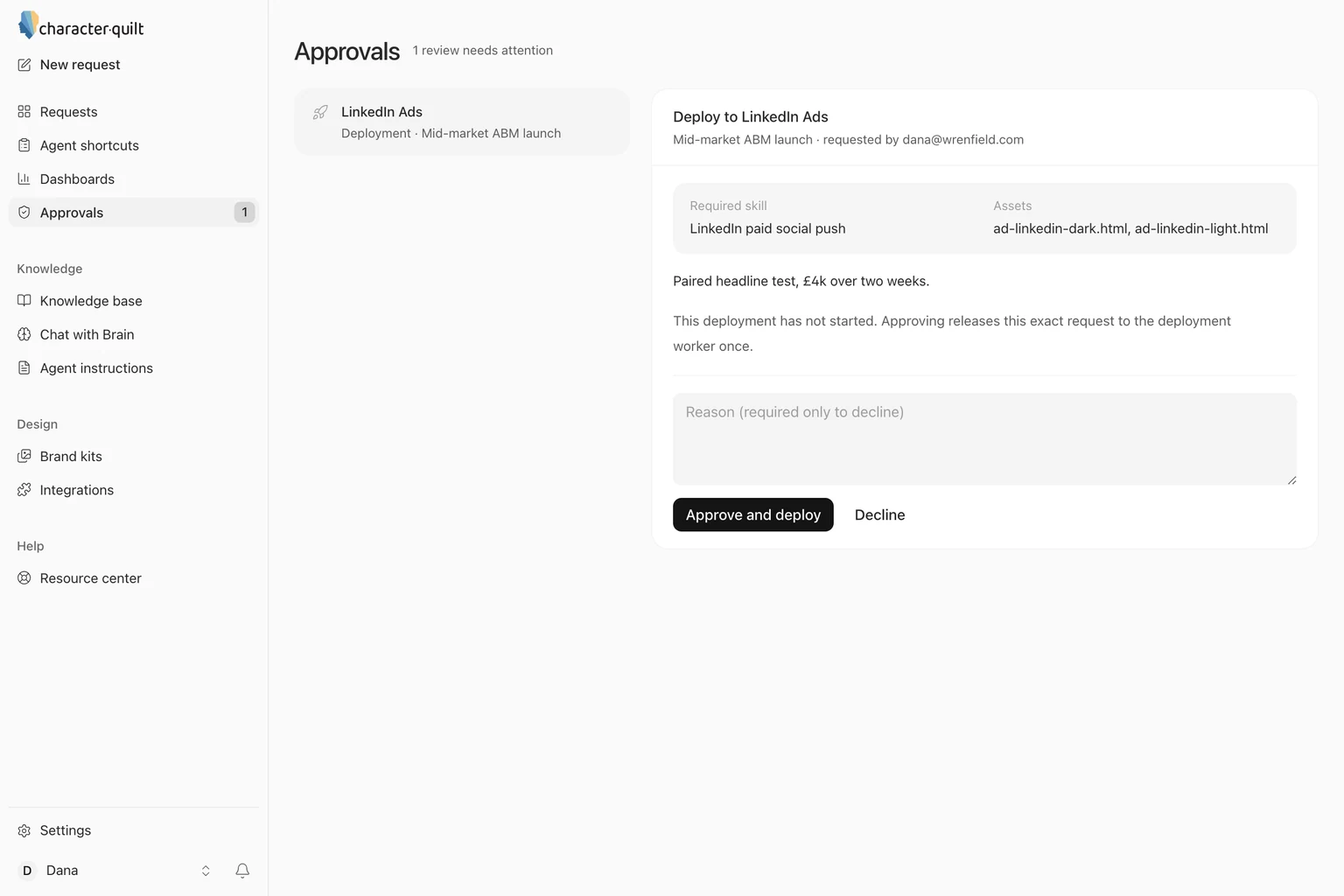
A tool that does the first two and calls itself a deployment product is handing you the last four as homework.
Agree on these six things before connecting your systems.
We build it somewhere else first.
Campaigns are assembled in the CharacterQuilt workspace, not in your account. Nothing is written to your tools until the build is finished, reviewed and approved.
Review the deployment plan.
The deployment plan lists each destination, the assets going there and what the agent will do: what gets created, what gets changed, which lists are touched.
A named person signs off.
Agree on who approves each deployment and how that decision is recorded. Your team owns the final review and publishing step.
Agents only touch what you allow.
Your system owners authorize the connections and permissions, with our help where needed. Review how to restrict or revoke access in each destination tool.
Recovery depends on the action.
Some drafts and configuration changes can be revised or removed. Sent emails and impressions already served cannot be recalled. We establish a recovery plan appropriate to the platform and the work before launch.
Agree on the records you need.
Review the available run records and destination status with us during setup. Confirm which records your team requires and how they will be retained or exported.
When something goes wrong.
A screen can change, a login can expire, or a field can be ambiguous. When a run needs intervention, our team helps investigate the step and the destination state before retrying.
Check the current state.
We check which steps finished and which need attention, including any partial changes in the destination tool.
Resolve the failed step.
We work with you to identify the failed step and check what was written before deciding how to continue.
A human takes over.
Our team picks it up from there. You are not left reading an agent's logs to work out what happened.
Your team controls the connections.
We identify the required connections and permissions for each destination. Some workflows use an integration; others require browser access. Ask us to demonstrate the specific operation your team needs rather than assuming that every feature in a platform is supported.
Bring us your objection.
Bring your ops lead and a workflow you want to see. We can plan a demonstration in a test environment or an agreed draft area of your account, with access and scope settled first.